How do I connect my Google My Business Profile in ClientStack
Once you've logged in to ClientStack, it's time to begin requesting online reviews from happy clients you've served.
However, in order for their reviews to land online, it is vital to first connect your ClientStack app with your Google Business Profile (formerly known as GoogleMyBusiness).
While our team would love to connect the profile on your behalf, the system requires the business owner to directly connect the Google profile to the app.
If you don't currently have an Owner or Manager role on your Google Business Profile, feel free to reach out to support@taxpromarketer.com. We would be happy to grant your email address a role on your Google Business Profile.
Once you have this role in place, follow the visual steps provided in the tutorial below:
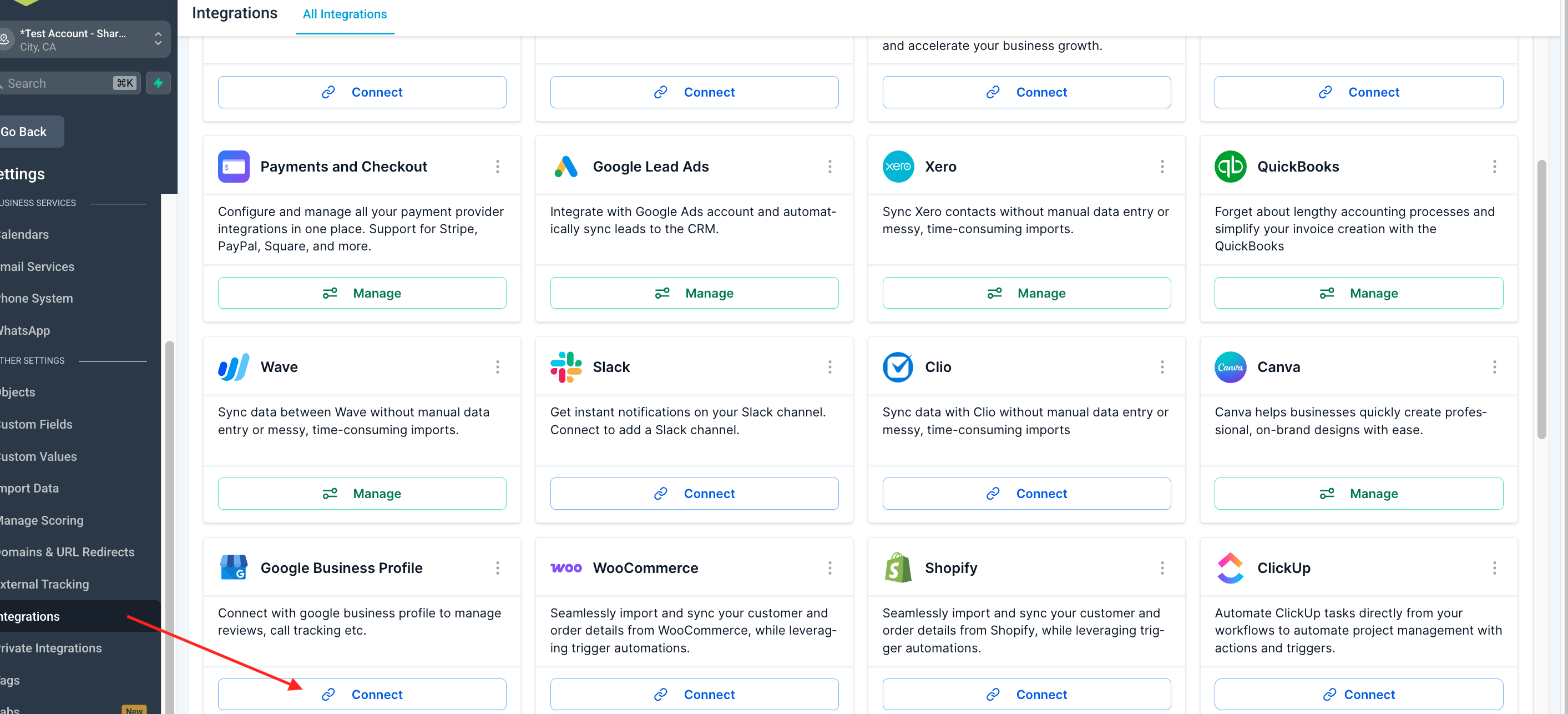
1. Login to ClientStack and click Settings in your left Navigation Bar and select Integrations

2. A pop-up will show on the screen, and make sure that the email of your Google profile is the same as the one that manages your Google My Business Profile. Select the email and click the continue button.
 3. Click the Select All button
 4. Scroll down. Click the Continue button.
 5. Your email will appear in the Google integration once the integration is successful after refreshing your browser page.
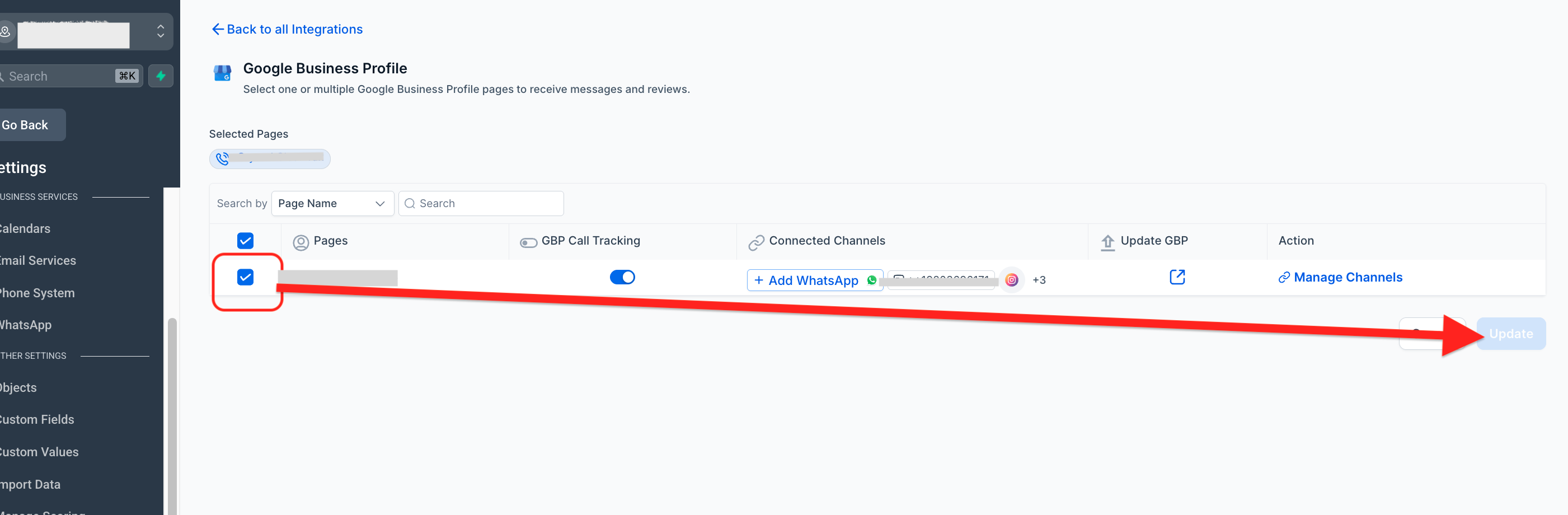
6. Scroll down and click the "Manage" Button
Select the Google My Business profile you want to integrate in your ClientStack account and click the Update button.