
How do I get all of my business page posts to show up on my personal news feed?
In order to have visibility of all of your business page posts, on your own personal news feed, you will have to set up "Favorites" from your business page.
Here is how you can do that:
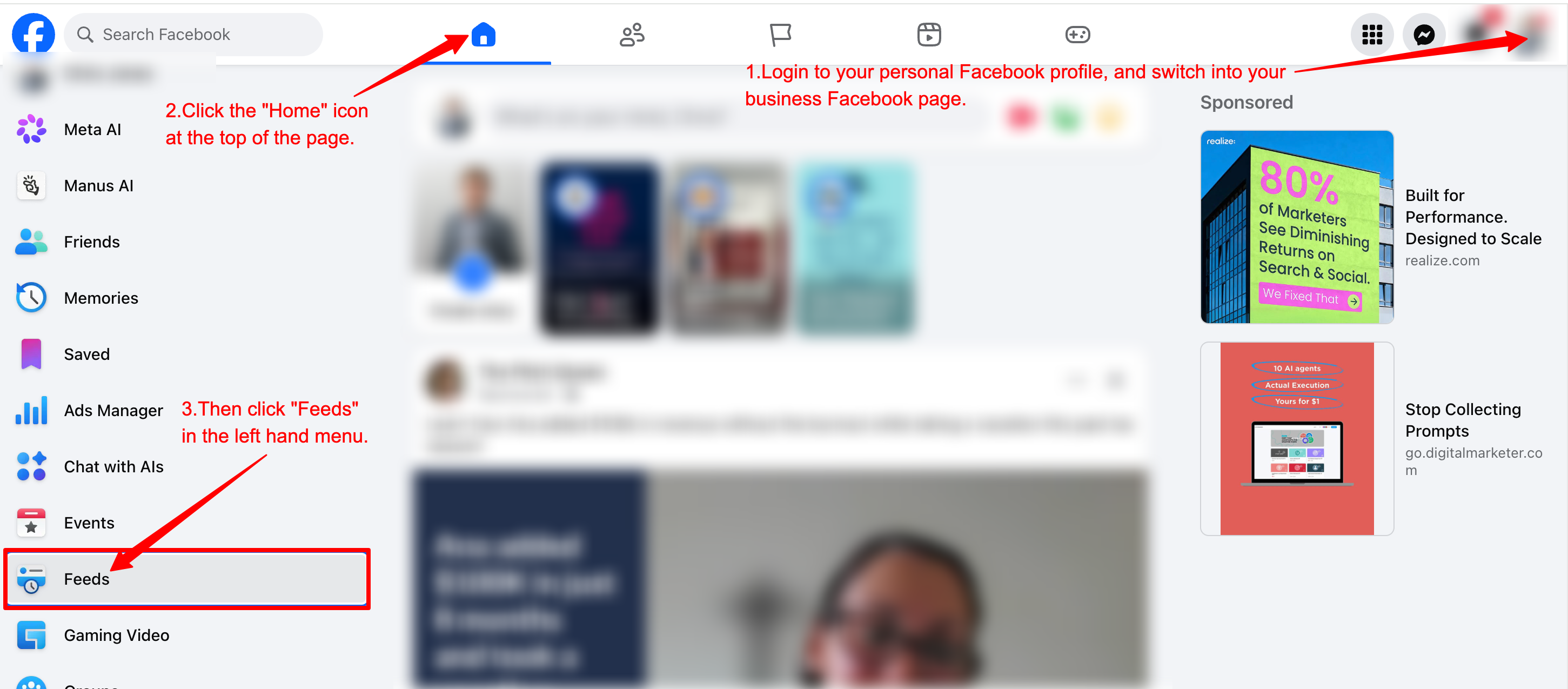
- Login to your personal Facebook profile, and switch into your business Facebook page.
- Click the "Home" icon at the top of the page.
- Then click "Feeds" in the left hand menu.
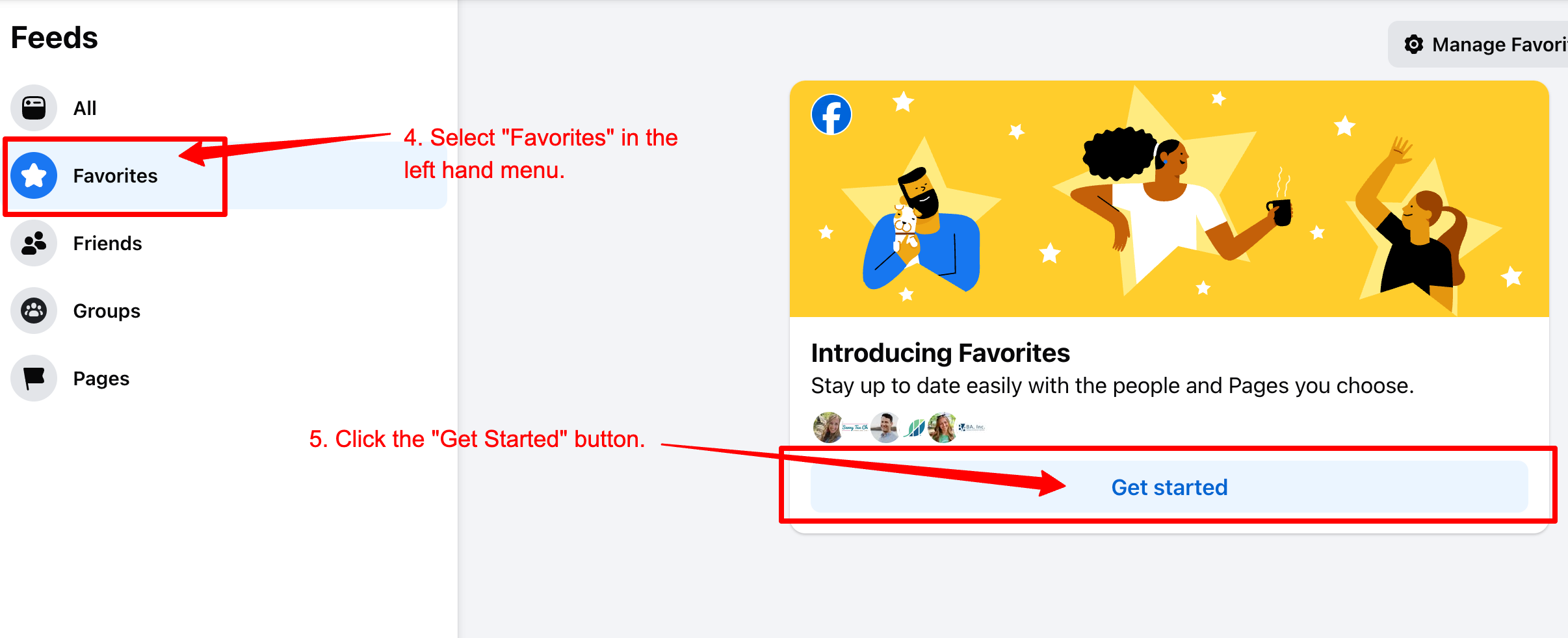
- Select "Favorites" from the left hand menu.
- Click the "Get Started" button.3. Don't forget to hit the Update button at the bottom of the pop-up, to save your following preferences
- Click "Setup Favorites", and then select "Favorites" in the next menu.
- Begin clicking the star associated with the person or business page you would like to add as a favorite.
